
How to Type Using the Keypad
The Keypad uses ABC mode for typing. In this mode, you’ll cycle through the corresponding characters (numbers, symbols, punctuation, letters) using the keys numbered 0-9 on your Keypad. This is similar to T9 typing as you would do on a phone that only has a keypad instead of a keyboard.
To type on the Keypad, please reference the keypad button image or table below.
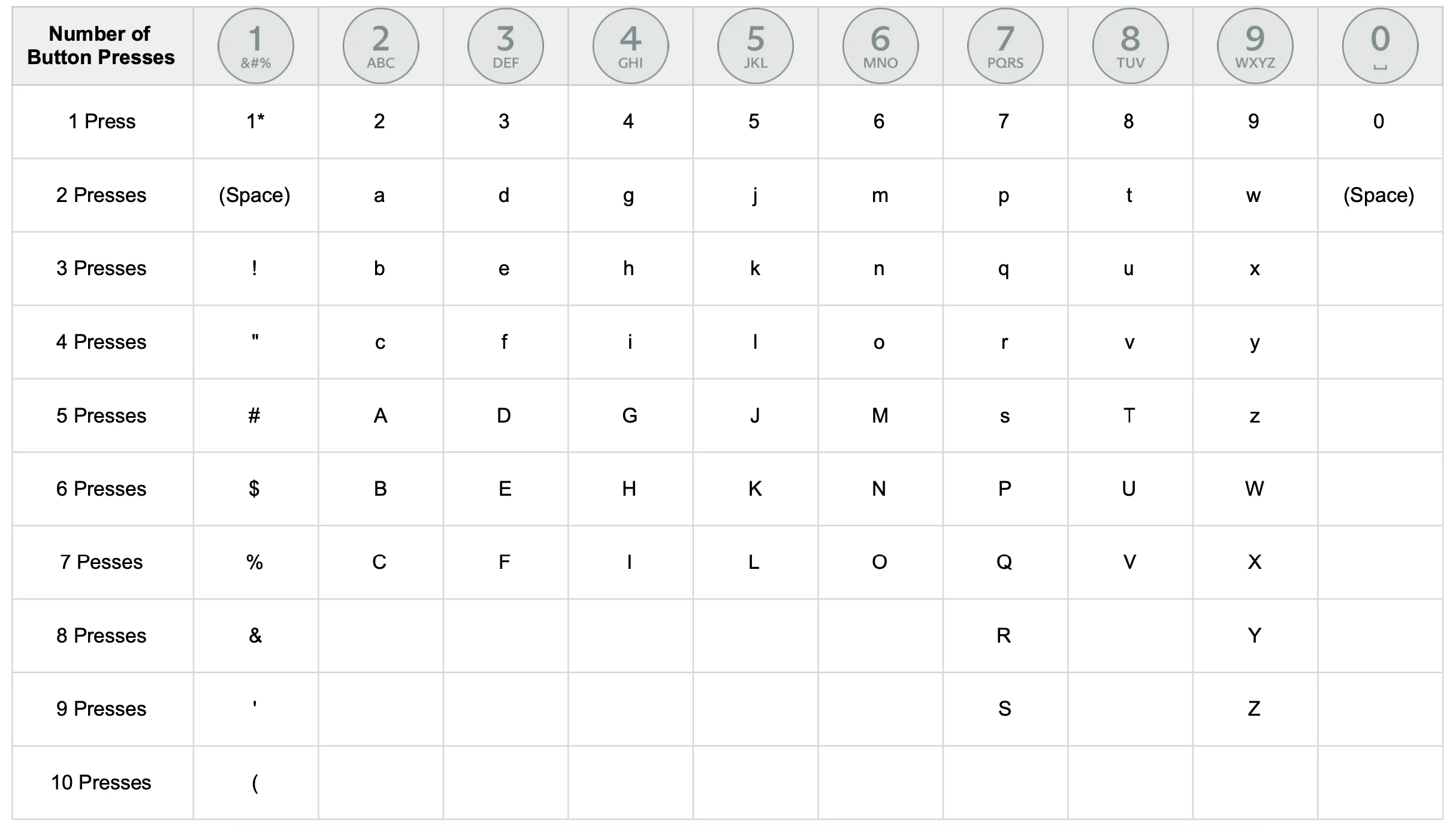
Number of Button Presses | 1 Button | 2 Button | 3 Button | 4 Button | 5 Button | 6 Button | 7 Button | 8 Button | 9 Button | 0 Button |
1 Press | 1* | 2 | 3 | 4 | 5 | 6 | 7 | 8 | 9 | 0 |
2 Presses | (Space) | a | d | g | j | m | p | t | In | (Space) |
3 Presses | ! | b | and | h | k | n | q | in | x | |
4 Presses | " | c | f | i | l | the | r | v | and | |
5 Presses | # | A | D | G | J | M | s | T | With | |
6 Presses | $ | B | AND | H | K | N | P | IN | IN | |
7 Presses | % | C | F | I | L | THE | Q | V | X | |
8 Presses | & | R | AND | |||||||
9 Presses | ' | S | WITH | |||||||
10 Presses | ( |
*For the '1' key, more characters will appear after 10 presses and in this specific order: ) * + , - . / : ; < = > ? @ [ \ ] ^ _ ' { | } ~