
How to Replace the PIN Pad Batteries for Smart Lock
The PIN Pad for both the Smart Lock and Smart Lock Series 2 takes 2 CR2450 Lithium Batteries. The PIN Pad's batteries have a life expectancy of 8-12 months, depending on usage.
Changing Your PIN Pad’s Batteries
Use the Release Tool that was included in the Smart Lock Series 2 box
If you do not have this tool, a SIM Card tool or a paperclip may also work
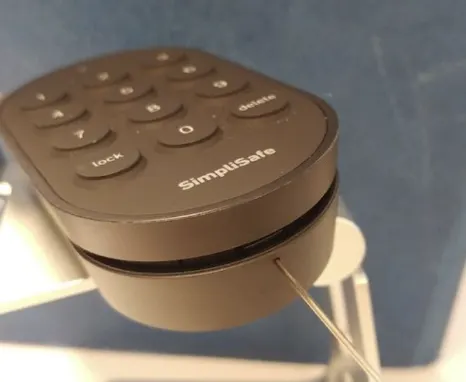
Once the pinhole has been pressed, the top of the PIN Pad will pop off and you will then be able to replace the batteries
After the batteries have been replaced, press the PIN Pad top back on until it clicks into place
Changing your Smart Lock’s Batteries
If you have changed your PIN Pad’s batteries, but also need to change the Smart Lock’s batteries, you can find instructions for it on our Help Center.