How to Tell if You Have a Digital or Mechanical Chime Box
Before setting up the Video Doorbell Series 2, you need to have a chime box already installed in your home. A chime box is a component inside your home that sounds whenever your doorbell is rung—alerting you that someone is at your door.
The Video Doorbell Series 2 is compatible with both digital and mechanical chimes, but the steps to install the Video Doorbell vary depending on the type of chime you have. If you choose the wrong chime type during installation it can prevent your Video Doorbell from making a sound when rung, or damage the device itself, so it is important that you know the type of chime you have prior to installation.
Where Can I Find My Chime Box?
The chime box is located inside your home or business, typically mounted close to the ceiling by your front door.
How Do I Know What Chime Box I Have?
To determine what type of chime box you have, ring your doorbell and listen to the sound it makes.
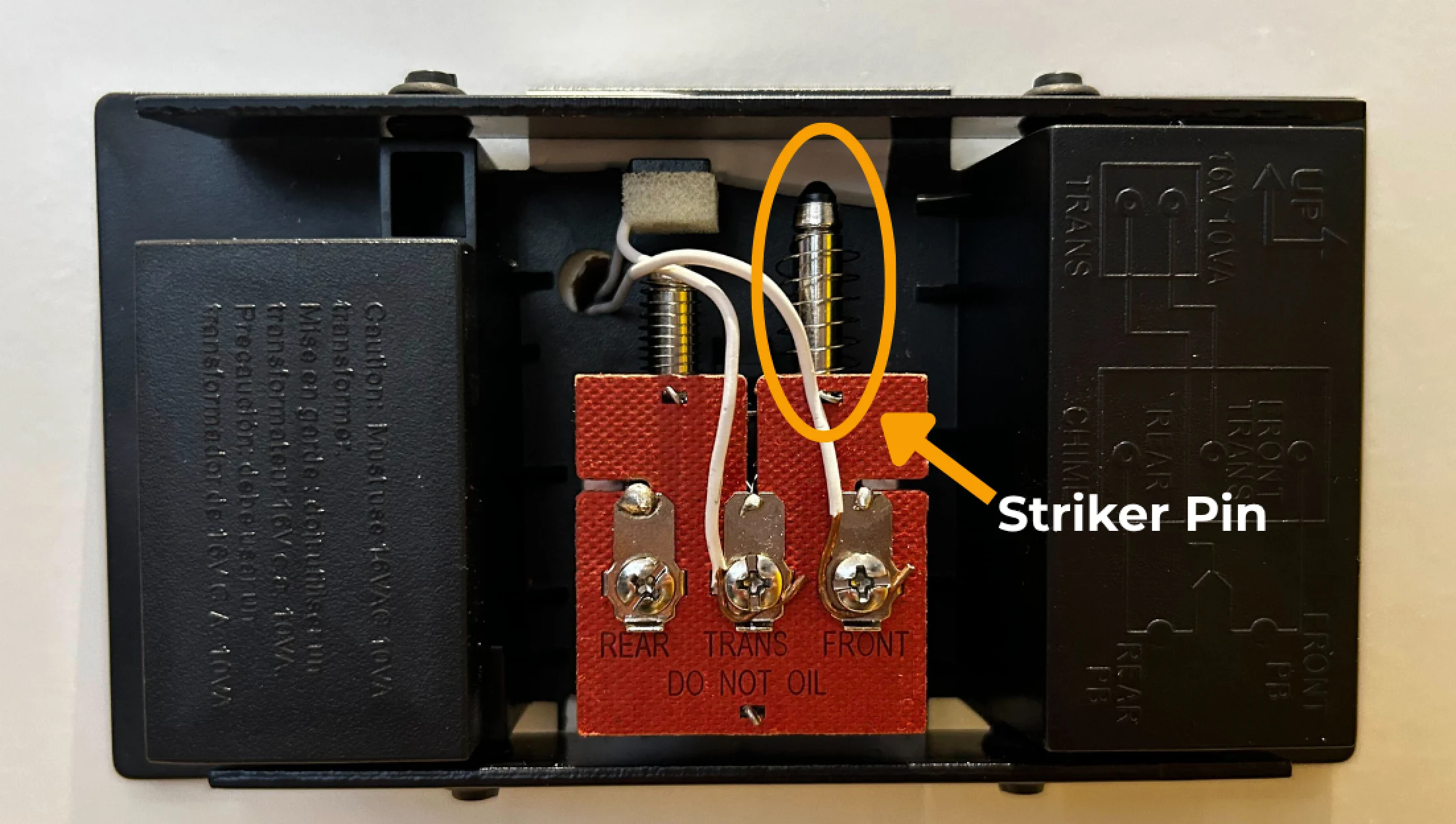
Mechanical chime boxes are hardwired into the home and produce the classic “ding dong” sound, which is created by a hammer physically striking a bell.
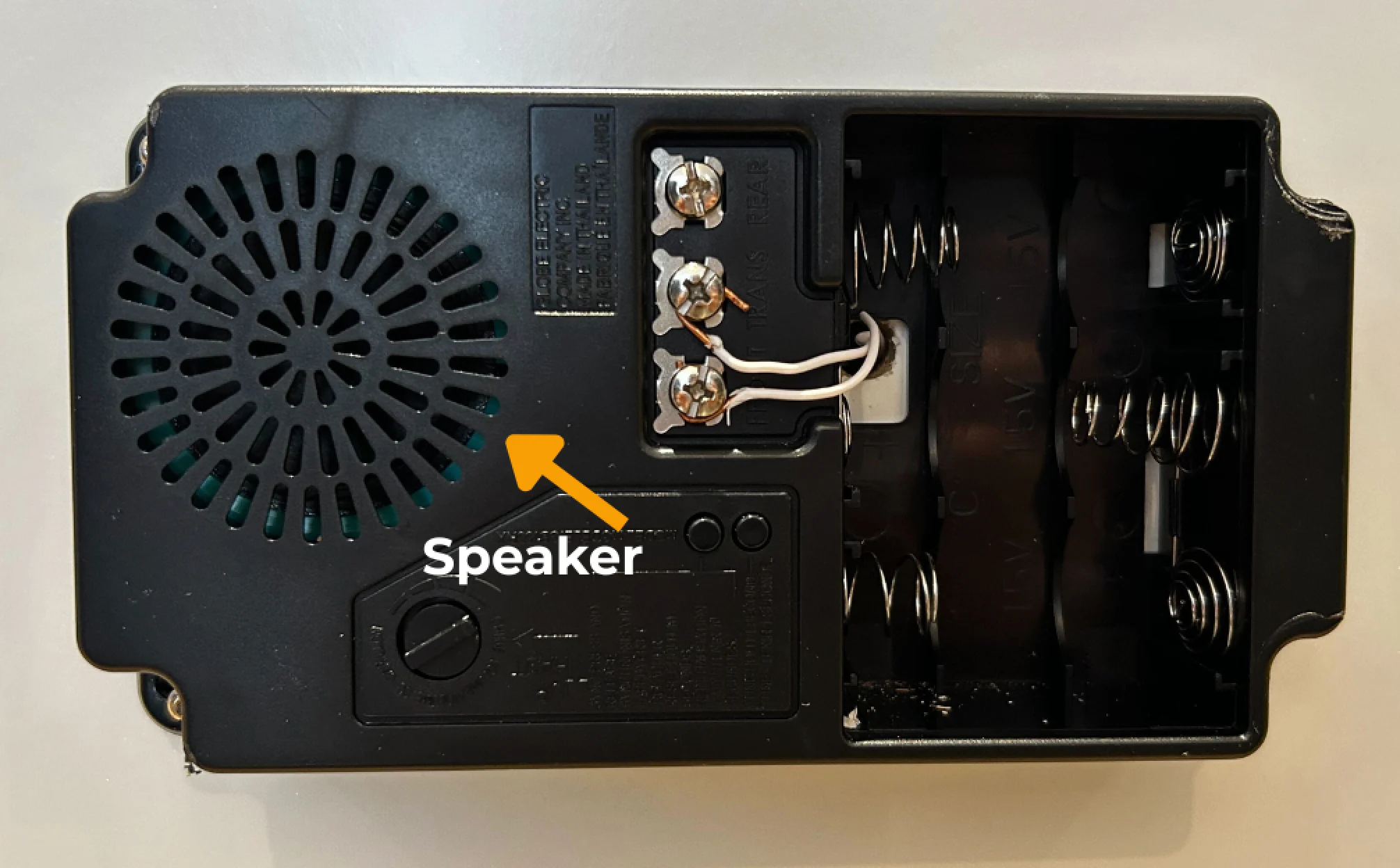
Digital chimes have a speaker that plays a variety of sounds and melodies when the doorbell is rung. They sometimes include buttons to customize the tune that plays, and are often wireless or battery-operated.