
How to Reorder Cameras in the SimpliSafe® App
An exciting feature of the SimpliSafe® App (opens in new tab) is the ability to reorder your list of cameras in the Cameras tab in the app*. This is helpful if you want to see your cameras in alphabetical order, or organized in any specific way.
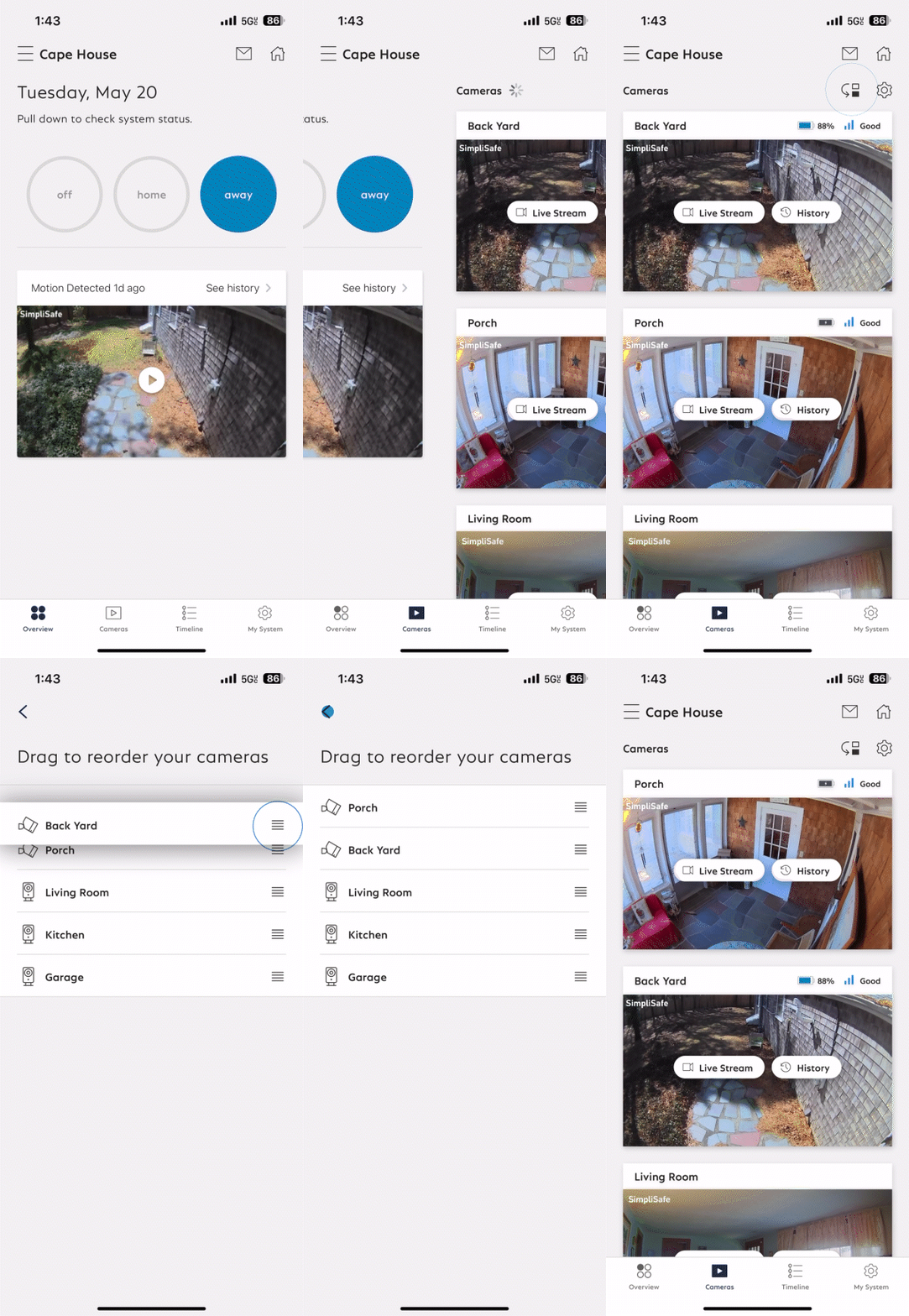
To Reorder Your Cameras in the SimpliSafe® App:
Open the SimpliSafe® App (opens in new tab) on your phone or tablet
Select Cameras from the navigation bar on the bottom of the screen
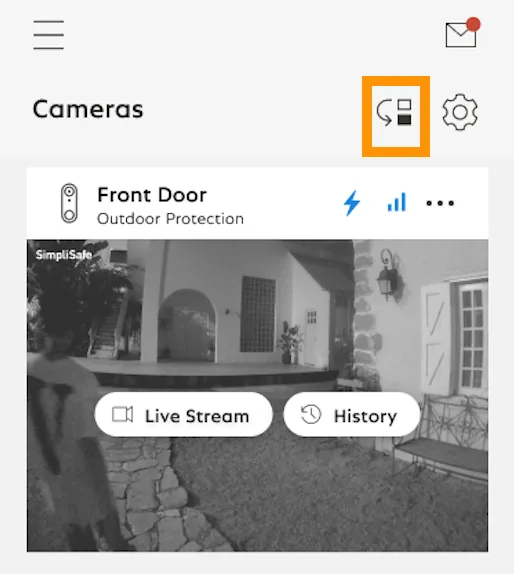
Tap on the reorder icon on the upper right corner of the screen
Press and hold a camera to drag and reorder it
Follow step 4 again for any other cameras you want to reorder
*Note: This feature is only to reorder your cameras in the SimpliSafe® app (opens in new tab). Changing the order of your sensors is currently not supported.